Best Personal CRM for Networking: 5 Top Picks
Compare the best personal CRM for networking, with contact capture, reminders, notes, integrations, privacy, and follow-up tools.

Your network may live across LinkedIn, email, texts, calendars, and old paper cards. A personal CRM brings those contacts into one place and reminds you when a thoughtful follow-up makes sense. Here are five strong picks, plus the best fit for each networking style.
1. LetsConnect
LetsConnect is a tap-to-share networking system with built-in CRM lead capture. It fits professionals who meet people in person and want contact details to move into a follow-up workflow right away.
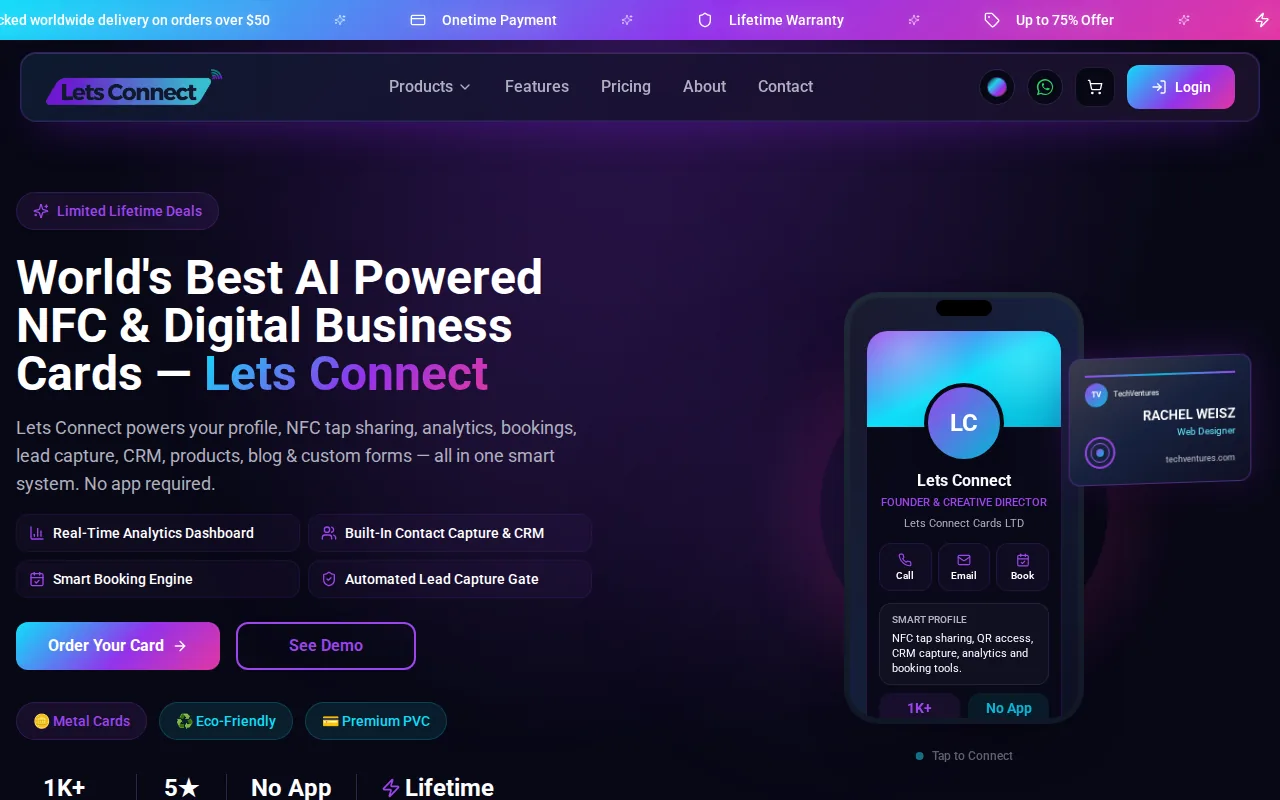
We use NFC, a tiny wireless chip that lets a phone tap to share information. You can share your contact details, social profiles, portfolio, booking page, or lead-capture form with one tap. The recipient doesn't need an app. A QR code gives people a second way to connect.
That makes LetsConnect a strong personal CRM for networking that starts before data entry. Instead of typing a new contact after a conference, you can collect the details through a form while the conversation is fresh. Teams can use the same approach at booths, client meetings, or supplier visits.
We also make the card in metal, premium PVC, and eco-friendly wood. Free worldwide shipping is included. If you want a physical card that feeds a digital follow-up process, start with LetsConnect's official NFC networking cards.
The caveat is simple. LetsConnect focuses on contact sharing and capture. You may still need a separate CRM or task system for long-term notes, birthday reminders, and relationship scoring. For many networkers, that division is useful because it fixes the first point of failure: losing the contact in the first place.
2. Dex: Best for LinkedIn-heavy professional networks
Dex is a personal CRM for networking professionals whose main contact source is LinkedIn. It suits recruiters, founders, business developers, and consultants who want to keep professional relationships warm.

Dex connects with LinkedIn, Gmail, Outlook, Facebook, iCloud, and phone contacts. Its LinkedIn sync and Chrome extension help you save context while you browse profiles. You can then set keep-in-touch reminders instead of relying on memory.
Its automation focus is useful when a contact changes jobs. A flag or profile update gives you a natural reason to reconnect. That is better than sending a cold message months later with no clear reason.
Dex also fits the core relationship workflow well. Import contacts first. Add a note after a call. Set a reminder tied to the relationship rather than a sales stage. You can then find the last point of contact before writing.
Many personal CRM tools depend on one main ecosystem. Dex goes deep with LinkedIn, but that depth may matter less if your network mostly lives in phone calls, WhatsApp, or face-to-face meetings.
Choose Dex when LinkedIn is your daily networking desk. If your first need is faster contact capture at events, LetsConnect is the cleaner starting point.
3. Mesh: Best for automatically built relationship profiles
Mesh is a personal CRM for networking that builds contact profiles from the places where conversations already happen. It fits people who want less manual data entry.

Mesh can connect with email, calendars, address books, LinkedIn, iMessage, and social accounts. It uses those sources to build a fuller view of a person. That can include work details, past interactions, and shared context.
Its relationship strength score gives you another way to spot neglected connections. An AI navigator can help you find useful information across your network. The value is clear before a meeting: you can review the relationship instead of searching through old threads.
Mesh also reflects the current shift toward built-in automation. The catch is that automation depth differs greatly. A tool may suggest a next contact, while another may only refresh a job title.
Privacy deserves a close look with any tool that reads across communication channels. Check which accounts it connects, what gets imported, how long data stays stored, and whether you can export your records.
Mesh is a good match if you want the system to build context for you. It is less attractive if you prefer full manual control or want a simple contact list with a few reminders.
4. Monica: Best for open-source and self-hosted relationship management
Monica is an open-source personal CRM for networking and personal relationship tracking. It is best for technically capable users who want more control over where their data lives.

Monica supports manual contact profiles, conversation logs, birthdays, milestones, reminders, and personal details. Its design leans toward trusted relationships rather than sales pipelines. That makes it useful for people who want to remember life events and past conversations.
Self-hosting can give you more control over storage and access. You still need to manage the server, updates, backups, and security settings. That work is part of the tradeoff, not a hidden detail.
Monica also has fewer ready-made connections to email, calendars, LinkedIn, and social networks than more automated tools. You may need to add contacts by hand. For privacy-minded users, that can be a benefit. Less syncing means less data moving between services.
Open source does not always mean advanced networking automation. Monica is strong for personal relationship records, but it is not built around LinkedIn capture or automatic professional updates.
Pick Monica when data ownership matters more than speed. Skip it if you want a mobile-first event workflow or automatic social updates with little setup.
5. Notion: Best for customizable dashboards and relationship workflows
Notion is a flexible personal CRM for networking that lets you build your own contact database. It works best for people who already use Notion every day.

You can build a contact table with fields for relationship type, follow-up date, notes, location, project history, and last contact. A board view can group contacts by stage. A calendar view can show upcoming reminders.
Notion offers templates for follow-up dates, relationship types, notes, and project history, so you don't have to start with a blank page. You can adapt one to fit your work. For example, a consultant might add fields for referral source and client project, while a founder might track investor notes and warm introductions.
The tradeoff is manual upkeep. Notion does not give you a dedicated social import that pulls in every LinkedIn or phone contact. You must keep the database current, or the dashboard becomes a neat-looking archive.
Automation is possible through formulas and connected tools, but you will need to design the workflow. A reminder only helps if the date field, view, and task rule work together. That setup can take more time than a dedicated personal CRM.
If you enjoy building systems, Notion gives you room to shape the process. If you want to tap a card at an event and let follow-up happen quickly, use LetsConnect for capture first, then send qualified contacts into your chosen system.
Personal CRM comparison: features, integrations, and best use cases
The best personal CRM for networking depends on where your contacts come from. A LinkedIn-first tool may beat a broad system for one person, while a self-hosted database may matter more to another.
| Tool | Best fit | Strong point | Main tradeoff |
|---|---|---|---|
| LetsConnect | In-person networkers and teams | Tap-to-share contact capture | Long-term relationship tracking may need another tool |
| Dex | LinkedIn-heavy professionals | LinkedIn sync and reminders | Less useful outside its main ecosystems |
| Mesh | People who want auto-built profiles | Cross-channel contact context | More connected data raises privacy questions |
| Monica | Privacy-focused technical users | Open source and self-hosting | Manual setup with fewer integrations |
| Notion | People who want custom views | Flexible databases and templates | Most upkeep stays with you |
A CRM label does not guarantee that a tool connects with your email, calendar, phone, or social accounts.
Before you choose, read our guide to business networking apps for contact sharing and lead capture. It can help you separate the first-touch problem from the follow-up problem.
Key Takeaway: Choose the tool that matches your main contact source, then test whether you will actually update it each week.
How to choose the right personal CRM for your networking style
Start with the moment where your current process breaks. If contacts vanish after events, choose a capture-first system such as LetsConnect. If you forget follow-ups, prioritize reminders and activity notes.
- Contact capture: Can you add someone in seconds after a meeting?
- Integration needs: Does it connect with the apps you already use?
- Reminder depth: Can it remind you about a date, job change, or quiet relationship?
- Mobile access: Can you update a record while traveling or between meetings?
- Privacy: Can you export data, control access, or self-host it?
- Setup time: Will you still use it after the first week?
Pricing also needs a clear test. Free plans can work for a small network, but check contact limits and automation caps. Paid plans make sense when they remove a task you repeat every week.
Think about a construction or engineering firm meeting suppliers at a trade event. A tap-to-share card captures the first contact. A personal CRM stores the notes. A reminder turns that note into a follow-up. That same pattern can help teams serving professional markets, including construction and engineering firms, where site visits and partner meetings can produce many new contacts.
Pro Tip: After every event, review new contacts within 24 hours. Add one useful note before you set a reminder.
Frequently asked questions
What is the best personal CRM for networking?
LetsConnect is the best first choice when your main problem is capturing contacts at events or meetings. It shares details through NFC and QR code, needs no app, and supports CRM lead capture. Dex may fit LinkedIn-heavy users better, while Mesh suits people who want automatic relationship profiles.
Can a personal CRM replace LinkedIn?
A personal CRM for networking does not replace LinkedIn. It helps you organize the people you meet across LinkedIn, email, phone contacts, calendars, and in-person events. LinkedIn remains a discovery and communication channel. The CRM becomes your private record for notes, reminders, relationship type, and follow-up timing.
What features should a networking CRM have?
A useful networking CRM should support fast contact capture, tags, notes, activity history, and follow-up reminders. Deduplication also matters when one person appears in several address books. If you attend events, look for NFC or business-card capture. If you work online, check email, calendar, and LinkedIn connections.
Is Notion good for managing professional relationships?
Notion can manage professional relationships if you are willing to maintain the system. Its database views let you track contact type, last contact, next follow-up, and project history. It is less suitable when you need automatic social imports or instant event capture. In that case, pair it with a capture tool.
Is self-hosting a personal CRM safer?
Self-hosting can give you more control over personal CRM data, but it does not guarantee safety. You must handle updates, backups, passwords, access rules, and server security. Monica suits users who accept that work. If you want less maintenance, review the vendor's storage and export policies before connecting private accounts.
Conclusion
For most professionals, start with LetsConnect if contact capture is the weak link. Tap to share at your next meeting, collect the lead, and set the follow-up while the conversation is still fresh.
Why Lets Connect is the best digital business card
- Free to start: a digital card with your own link and QR code, no card details needed.
- Pay once: no monthly fee for your card or your lifetime plan.
- The follow-up is built in: lead capture, a CRM, a card scanner, bookings, forms and review links in one dashboard.
- No app on either side: it opens in the browser on iPhone and Android.
Related articles
- Best Digital Business Cards in the UK (2026): 8 Compared on Price and Features
- UC Awards 2026: Why Lets Connect Was Named a Rising Star Finalist
- Our Aim: To Lead the Business Card Category Worldwide by 2028
- Going to The Business Show London? Don't Bring Business Cards
- Best NFC Tools for iPhone: 9 Cards and Apps
- Best Business Card Apps for Professionals